

Error:
Failure | ErrorCode:21916519
ShortMessage:Listing is missing required item specific(s): "Style".
LongMessage:Listing is missing required item specific(s): "Style". Please provide the required item specifics.
Style is one example, different item-specifics can take its place.
Resolution:
This happens because the field "style" (or whichever item specific the error names) is a required item specific for that eBay category and has not been enabled for your account. To enable it: go to Channels in the left navigation, click the gear icon next to eBay (or select eBay from the Channels submenu), then open the Manage Fields tab. Use the search box to find the missing field (e.g. "style"), check its box, and click Save changes. The field will now be included in the item specifics sent to eBay for future listings.
Style is one example — different item specifics can take its place depending on the eBay category.
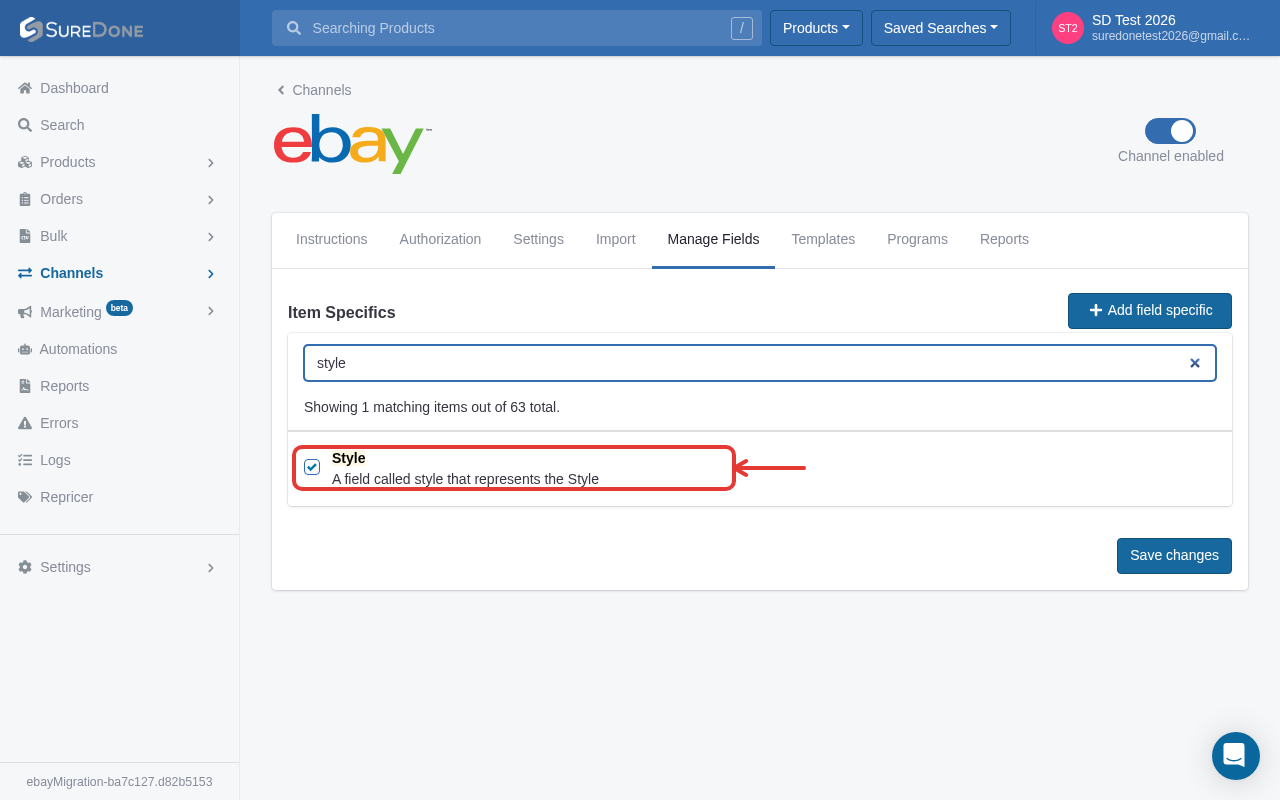
Select the style field and save settings and it will be added to the fields section shown in the image.