

The Amazon category lookup can be seen in the Amazon section of the product editor as the Category field, next to the Browse Node ID field (this field used to be called 'Sub-Category').
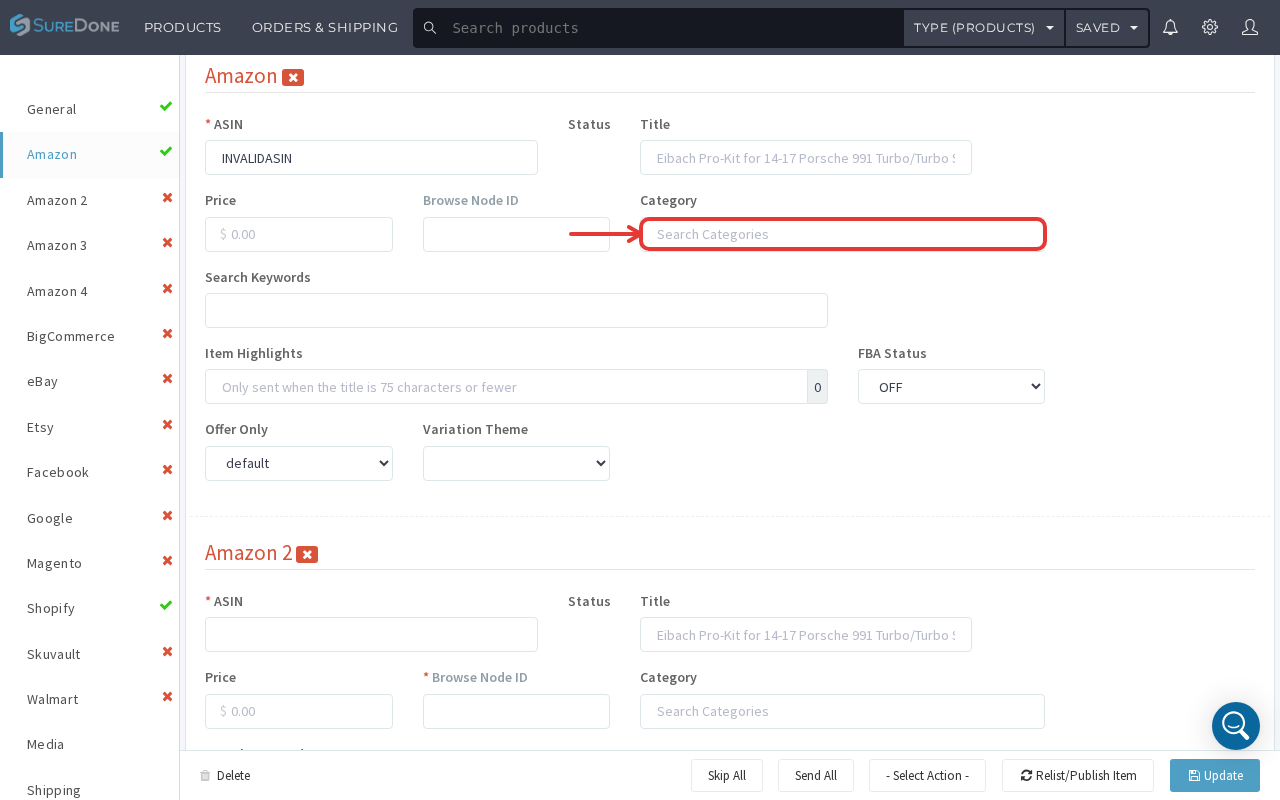
It is important to note that the value you search for in the Category field doesn't get pushed to Amazon directly — it's used to help find the exact browse node ID to put in the Browse Node ID field.
Type a keyword (a category name, e.g. "Clothing", or something more specific like "Sweaters") directly into the Category field, and SureDone will show a live-filtered list of matching full Amazon category paths beneath it — there is no longer a separate 'Sub-Category Nodes' keyword box or a second 'Select a Category first' dropdown; one search field now does both jobs.
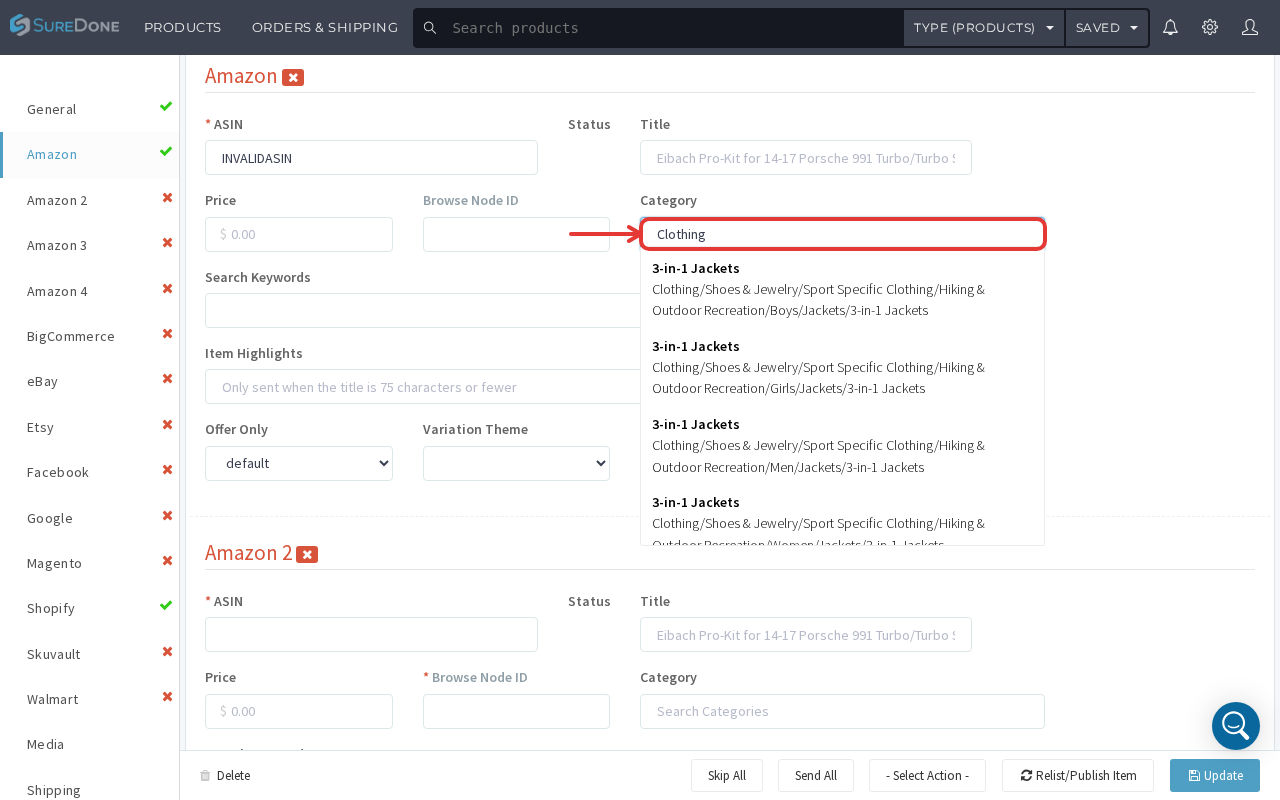
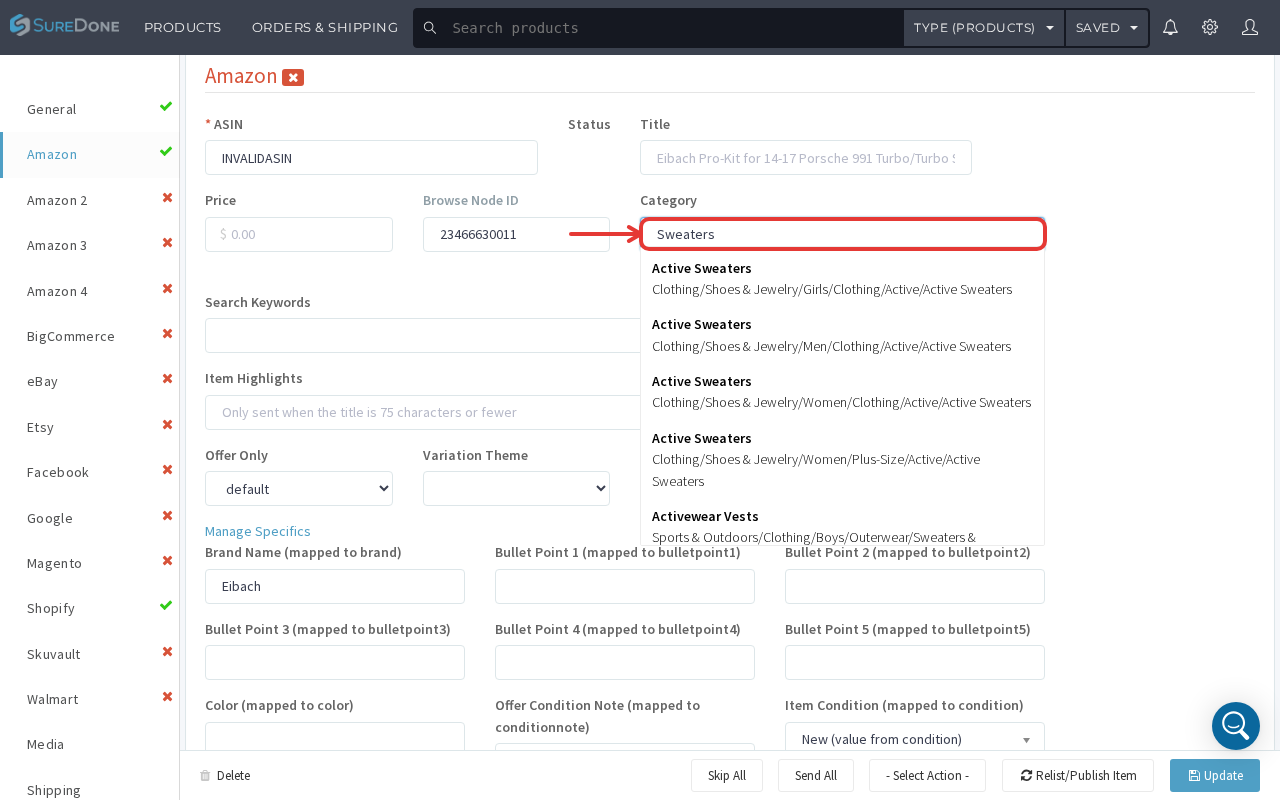
Once you find the exact browse node path in the suggestion list and select it, the Browse Node ID field will populate with the Browse Node ID, the Category field will show the selected full path, and SureDone will also auto-detect and display the Amazon Product Type for that node, unlocking a 'Manage Specifics' section of product-type-specific mapped fields (e.g. Brand Name, Bullet Points, Color, Item Condition).
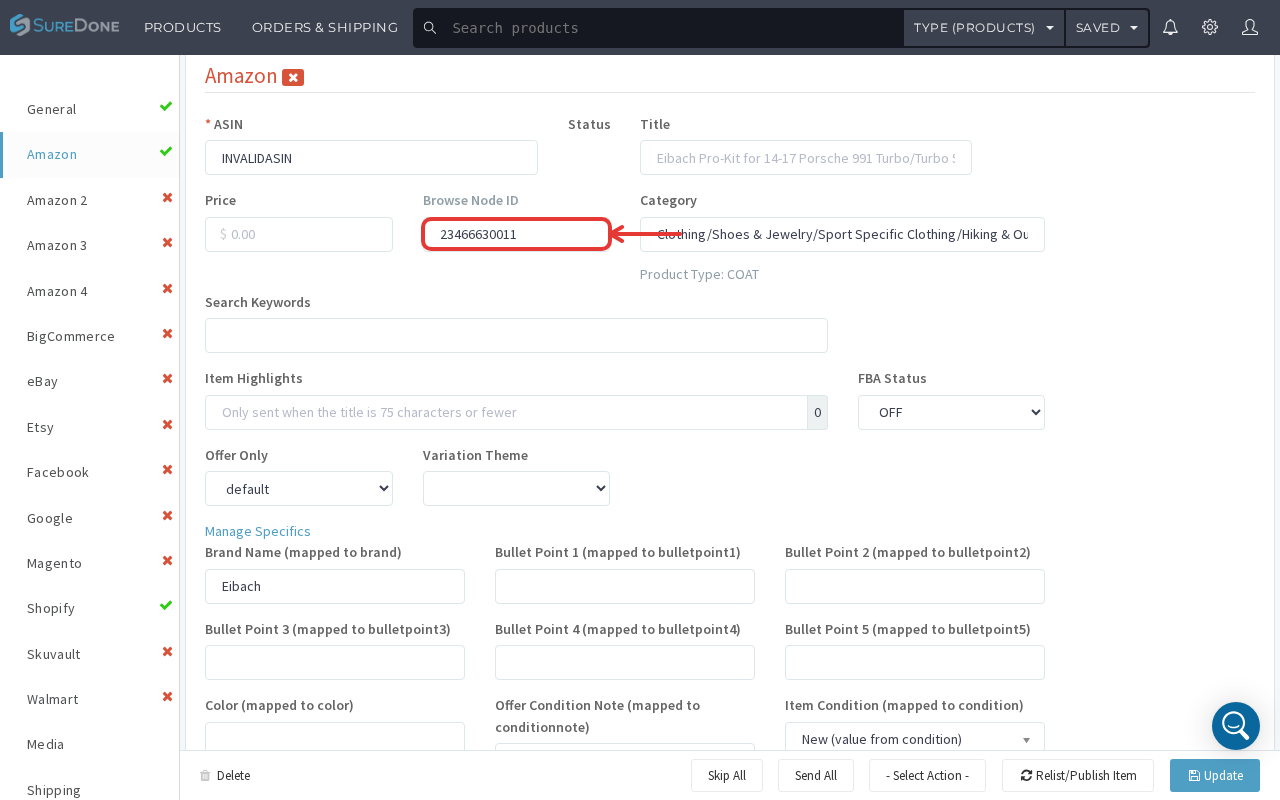
This is still the only method to find the browse node ID within SureDone. Other ways to find browse node IDs include downloading Amazon's Browse Tree Guide or using https://www.browsenodes.com/.
