

Best Offer lets buyers propose a price for an eligible fixed-price eBay listing. You can review offers manually or set thresholds for eBay to respond automatically.
- Best Offer Minimum Price: offers below this amount are automatically declined where eBay supports auto-decline.
- Best Offer Auto Accept Price: offers at or above this amount can be accepted automatically by eBay.
- Offers between the thresholds are available for you to accept, decline, or counter. Availability depends on the eBay site and category.
Set the channel default
- Open Channels and select the intended eBay instance.
- Open Settings. Under Features, set Best Offer to On or Off.
- Click Save Settings.
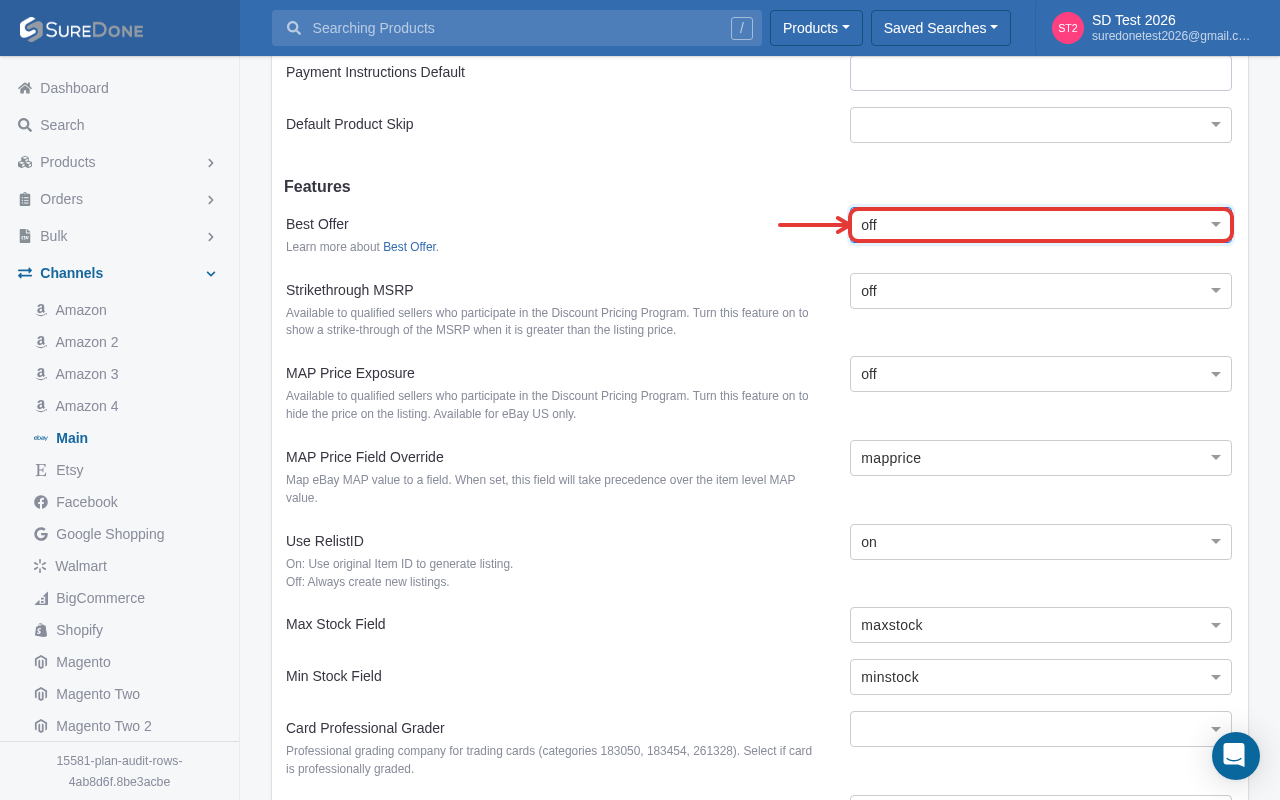
This sets the default for products that do not override it. Saving the channel setting does not immediately revise every existing eBay listing. Send an appropriate product update to apply a change to an existing listing.
Set Best Offer on a product
- Open the product and its eBay Details section for the intended instance.
- Use a Fixed Price listing format and enable Best Offer, or retain the channel default.
- Set the Best Offer Minimum Price and, if wanted, Best Offer Auto Accept Price. Keep the minimum at or below the auto-accept amount and both below the listing price. Check the resulting thresholds on eBay after sending the listing.
- Review channel skip settings, then use the applicable product action to publish a new listing or update an existing one. Confirm that the action succeeded and that the intended settings appear on eBay.
Set Best Offer in bulk
Use these headers for the primary eBay instance. For another instance, use its numbered prefix, such as ebay2bestofferenabled.
| Header | Value |
|---|---|
| ebaybestofferenabled | TRUE enables Best Offer; FALSE disables it. |
| ebaybestofferminimumprice | The auto-decline threshold, as a price such as 70.00. |
| ebaybestofferautoacceptprice | The auto-accept threshold, as a price such as 85.00. |
Include the product identifier and appropriate bulk action. An omitted header leaves that setting unchanged during an edit; do not rely on a blank cell to reset an existing override. Review the bulk results and the listing on eBay.
See eBay's Best Offer guide for current eligibility and offer rules.