

Support for actions to create, update and archive orders has been added to the bulk processor. Similar to product uploads, CSV files with an action in the first column and identifier (either oid or order) in the second column will create or update all order fields provided in the file. Files that do not have an action in the first column will default to update. To support multiple shipments, refunds, or order items in a single row provide headers that correlate to the object index that is to be updated, for example to update the second order item quantity provide itemid2 and quantity2 headers in the file. Furthermore, support for deleting order items, shipments and refunds is available by setting the action to delete and identifier to itemid, shipid or refundid to delete order items, shipments and refunds respectively. Mark orders shipped on marketplaces by setting headers and values for shipments (shiptracking, shipcarrier and shipdate minimum) along with shippingstatus set to COMPLETE.
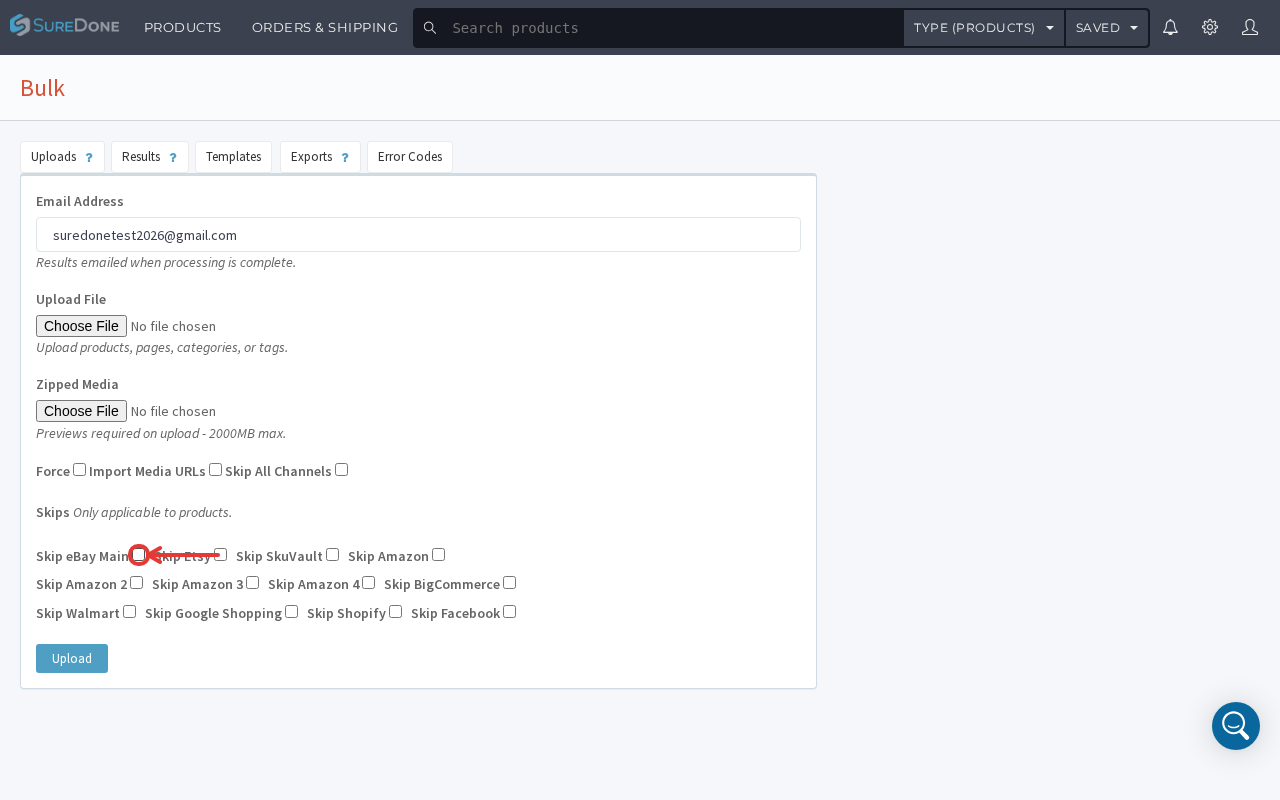

The Bulk > Upload screen's field set has evolved: the 'Debug' checkbox has been removed, the zipped-media limit is now 2000MB (previously 3000MB), and the per-channel Skip options now include Etsy, SkuVault, Amazon 2/3/4, BigCommerce, Walmart, Google Shopping, Shopify, and Facebook in addition to eBay Main, Amazon, and Google.
Example CSV bulk order header layouts provided below:
action=create,oid,total,itemtotal,taxtotal,sku,quantity,price,customfield
,sku2,price2,customfield2,shippingfirstname,shippinglastname

action=update,order,shippingstatus=COMPLETE,shiptracking,shipcarrier,shipdate=NOW
,shiptracking2,shipcarrier2,shipdate2=NOW

action,shipid
delete,123

action=update,oid,internalnotes
